
I’ve been diving deeper into AI over the past month and exploring how it can help me troubleshoot performance issues. Or at least speed up my job (save time) and catch things I might miss. I thought it would be interesting to share a few examples from actual WordPress sites I worked on.
Setup
For highly technical folks, I recommend looking into the Claude Code and Chrome DevTools (MCP) combo. However, something anyone can easily use is Claude (pro or higher plan) with their Chrome extension. It’s insanely powerful!
It’s that missing piece, giving Claude access to run PageSpeed Insights tests, click around, access the DOM, etc. Jonathan had a good post about this, and I liked how he phrased it. You are “cutting out the middleman” and are no longer just a translator for AI.
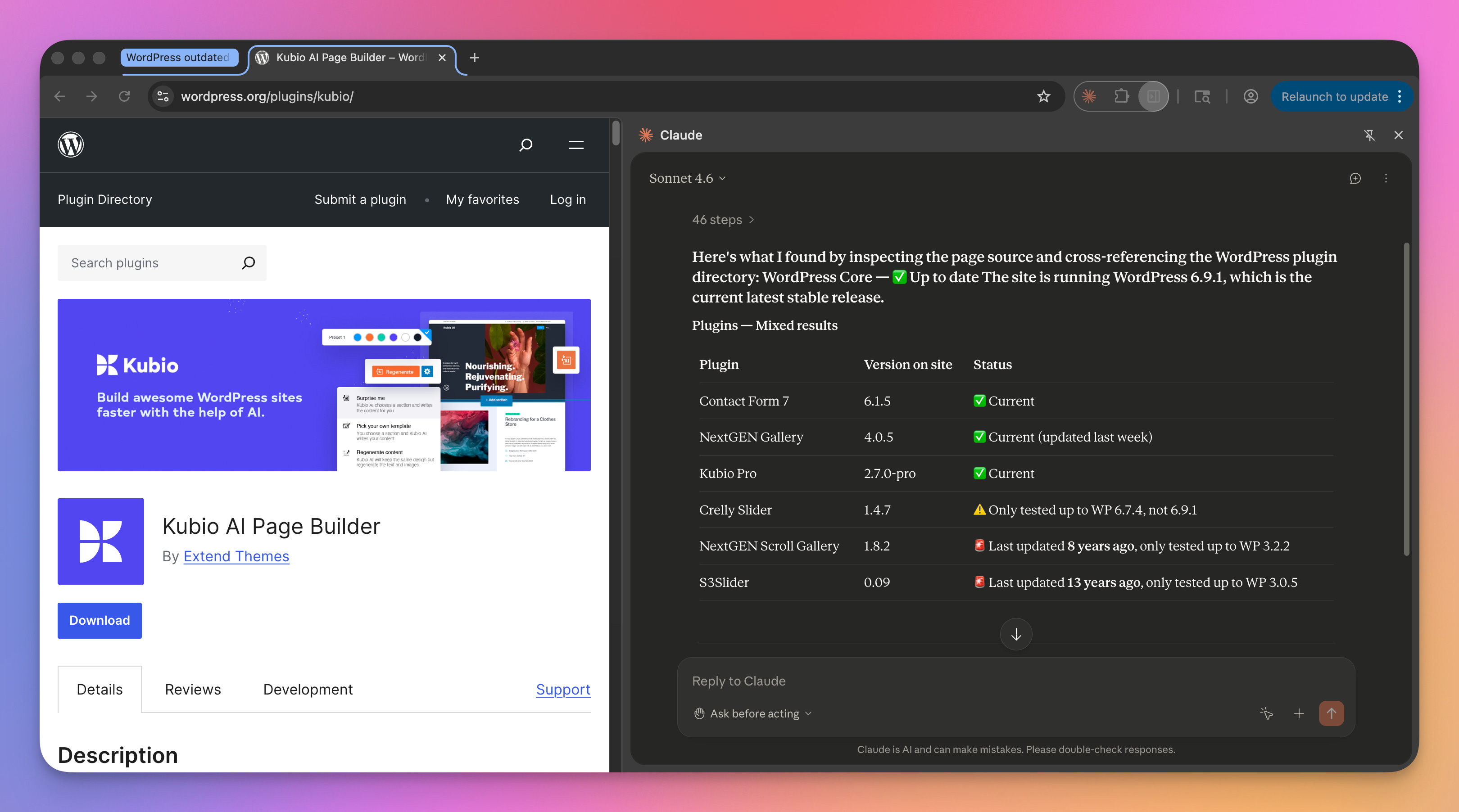
Tip: I recommend downloading Chrome Canary and setting up the Claude extension there. Two reasons:
Claude kicks off an annoying debugger warning while it’s parsing a page. If you run a separate Chrome installation, it won’t impact your main install. So you can keep working on other things without the distraction.
⚠️ Security! I can’t stress this enough. I see so many users just blindly installing AI programs and giving access to their entire browser, OS, or other logins. I don’t want Claude to have access to my main Chrome profile or installation (#15125). Essentially, I use Chrome Canary only for AI debugging.
Site 1
On this first site, I actually just asked the following question.
Performance-wise, what are some of the worst problems on this site that could be improved?
It gave me a nice list of issues to look at, and sorted them by severity.
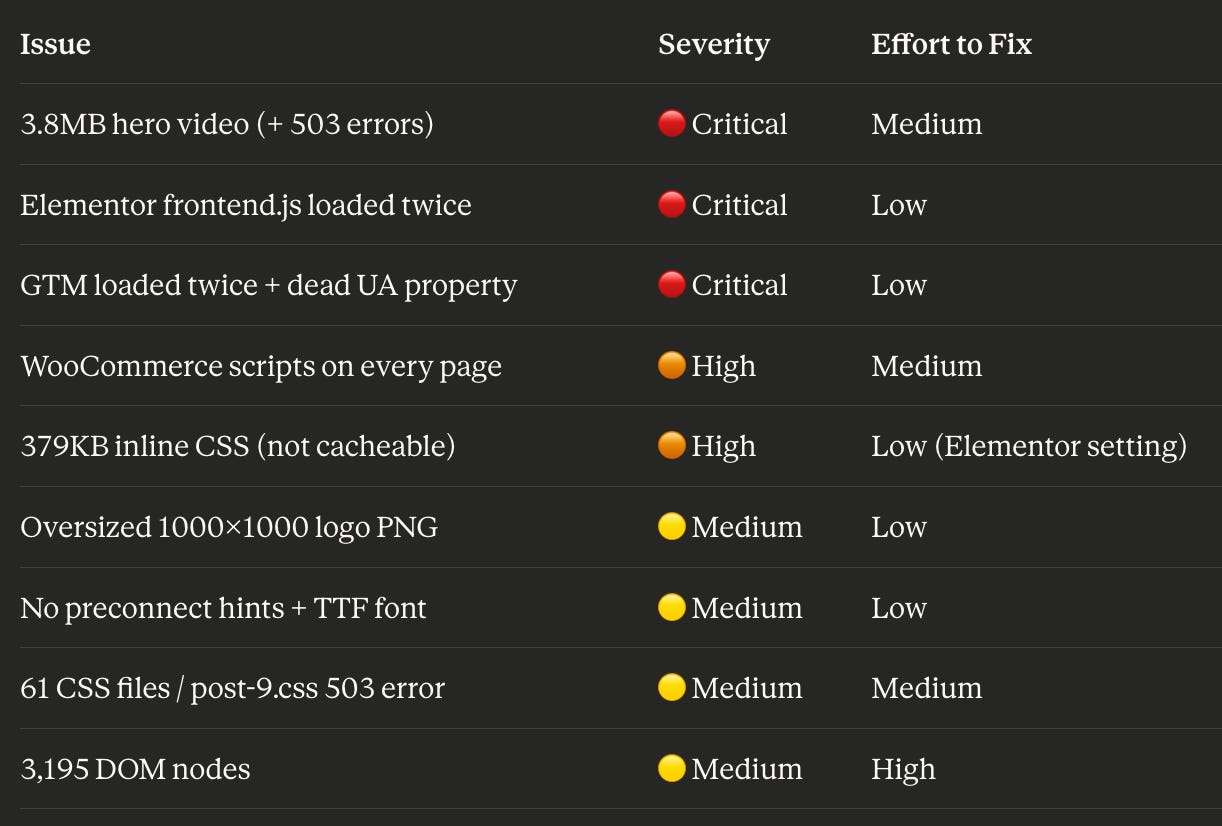
Something interesting is that it found a duplicate Elementor script that another plugin was enqueuing again. I work on so many Elementor sites that I see frontend.min.js and kind of ignore it. This caught something I would have missed. And I was able to easily disable the second script with our Script Manager in Perfmatters.

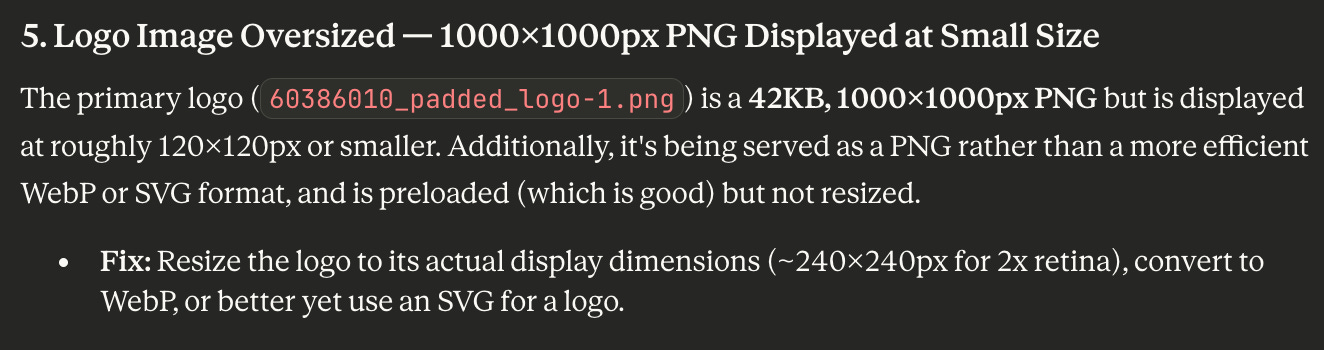
It’s also great at picking up images that are way oversized. In this case, it was a logo that simply needed to be scaled down.
Site 2
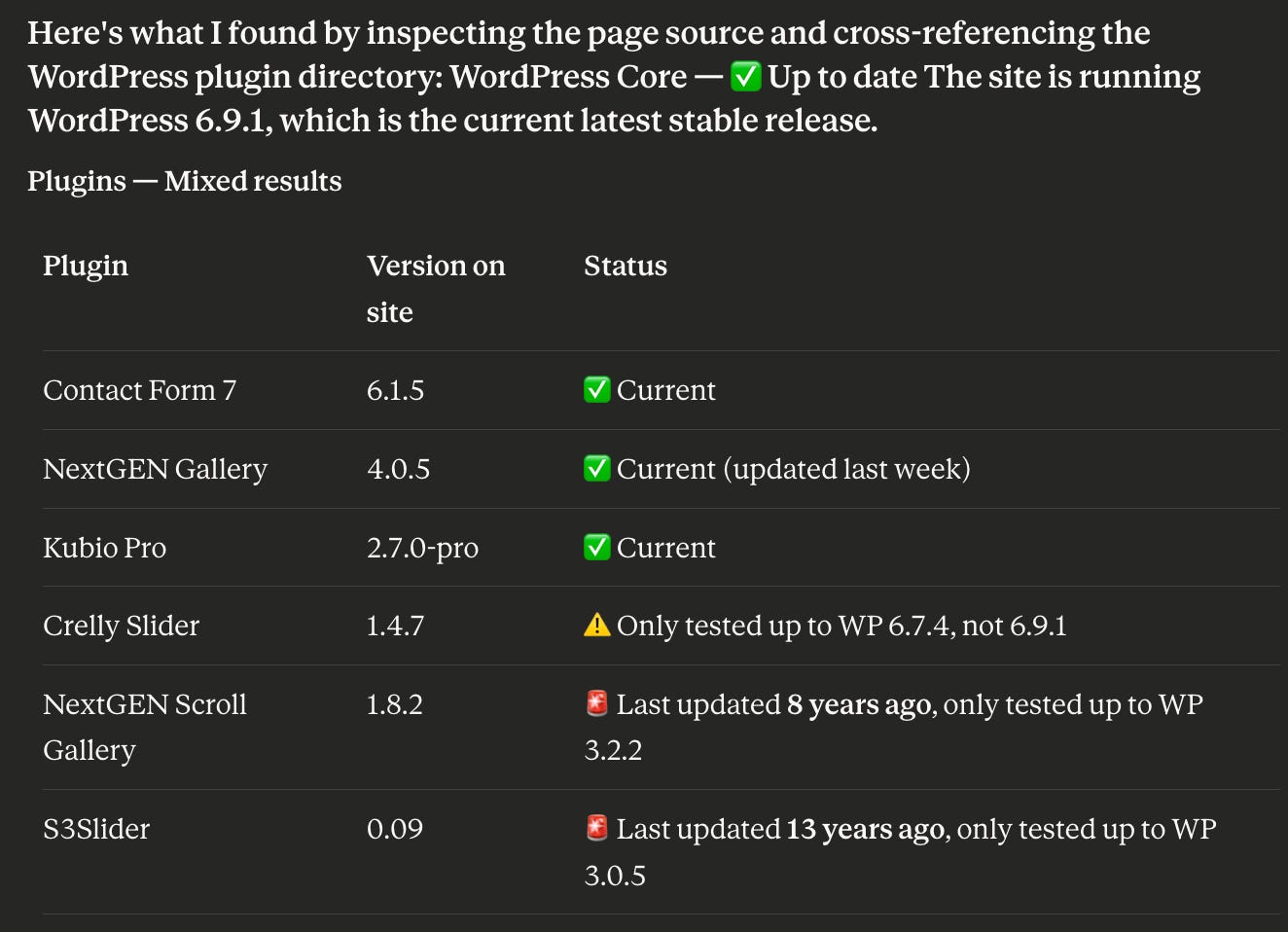
A client was having issues updating their site to a newer version of PHP. I asked Claude to scan the site (as I didn’t have access) and see what might be out of date. You can probably spot the offenders.
Site 3
On another site, they were encountering massive CLS on the desktop (0.266). And of course, we know that PageSpeed Insights isn’t always very helpful for debugging this. Many times, I’ll run a test through DebugBear to get more details or throttle locally to see if I can visually spot it based on the referenced divs. However, in this case, the div didn’t even exist.

It was actually a temporary placeholder that was added and then replaced.
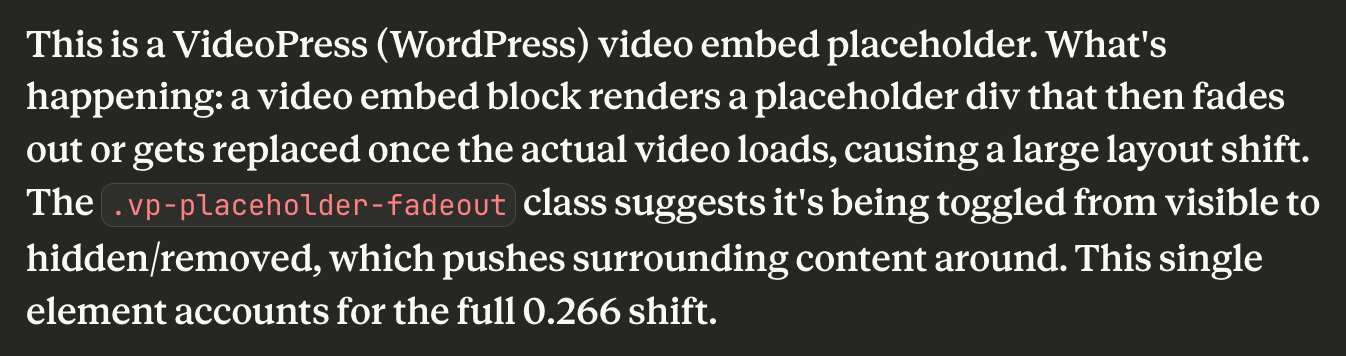
Claude helped me pinpoint exactly where the CLS was coming from without any additional work.
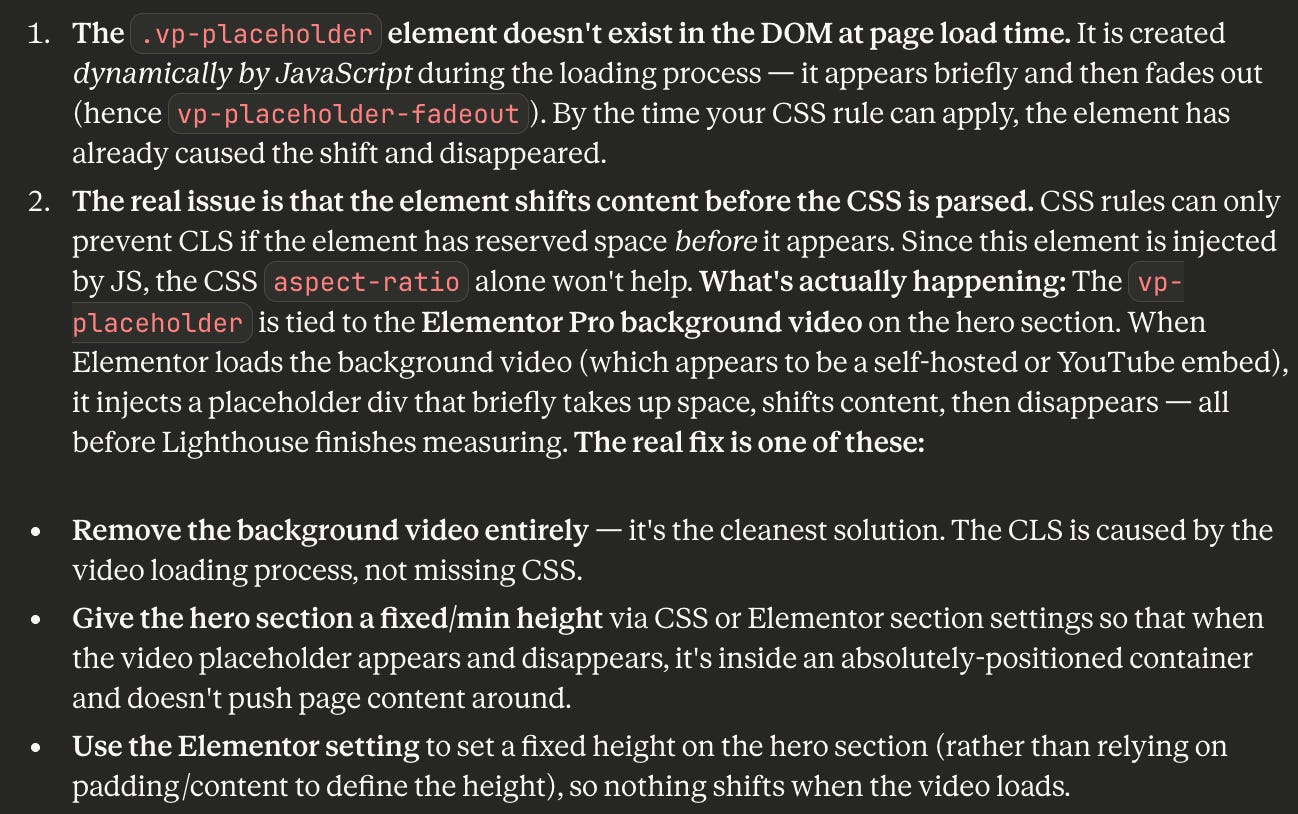
Site 4
Troubleshooting JS dependency orders? Caude can do that too. Along with the load time from each script.
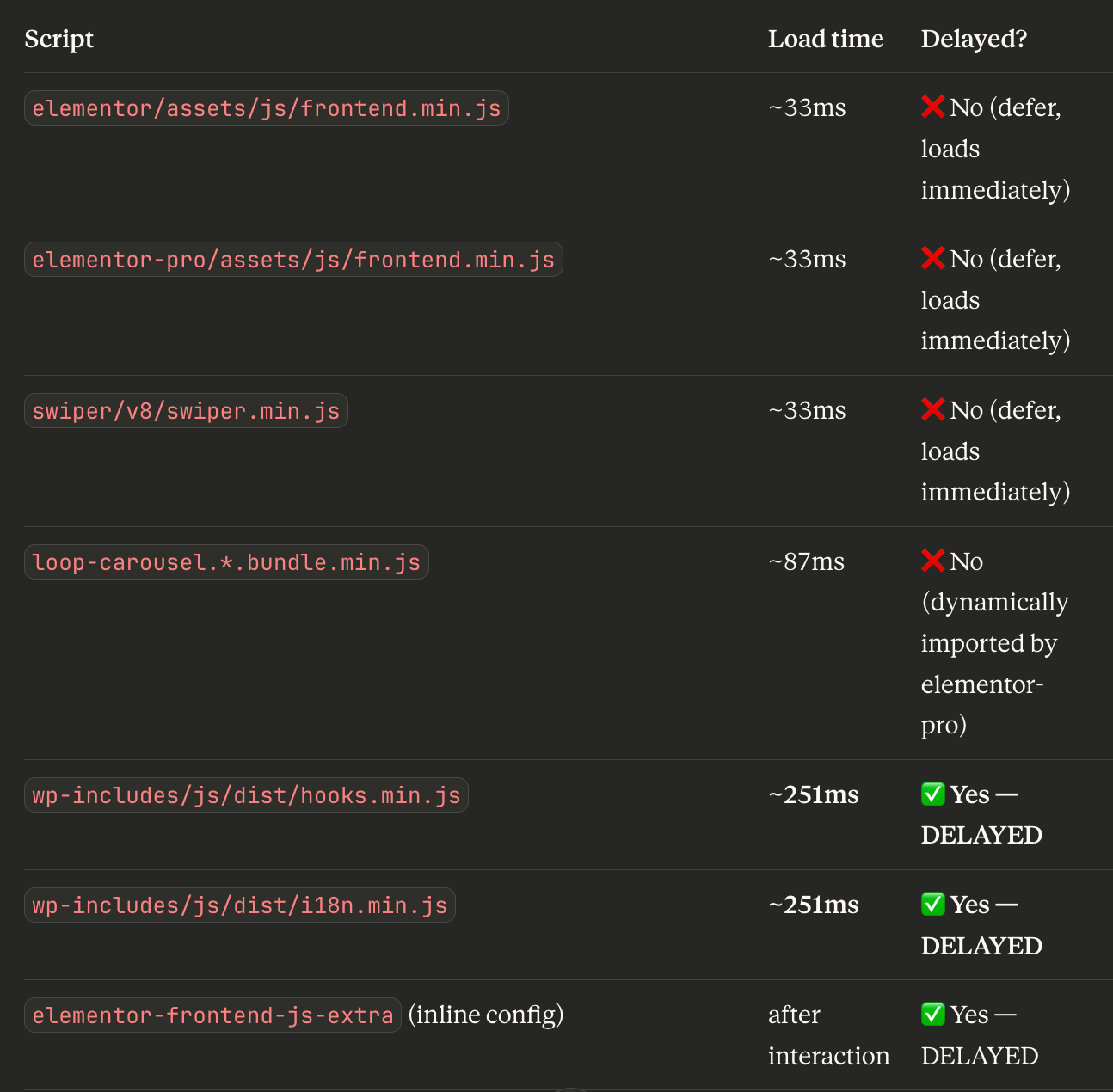
It can help you more easily track down the correct exclusions if you’re using a feature like Delay JS in Perfmatters.
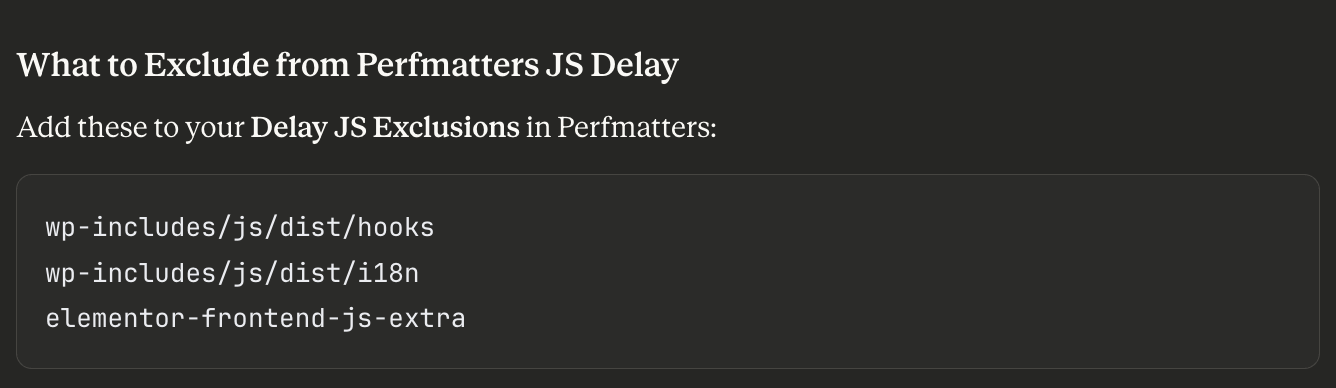
Honestly, after diving into Claude (Code or Chrome Extension), I will never go back to troubleshooting performance issues the same way again. And those are just a few of the thousands of different ways you can use it.
Multitasking is now taken to a whole new level, as you can let AI agents run these tasks in the background while you work on something else. I can resolve more client tickets faster and with even more detail. Although my brain might explode. 🧠
I’m not a hardcore developer; my brother is. AI has already allowed me to resolve many of the highly technical support tickets that I might have handed off to him before. This enables him to spend more time on building new Perfmatters features.

Updates ✍️
We pushed out an update for our Perfmatters WordPress plugin. Here are a few of the changes:
Code Snippets is officially out of beta! 🎉 If you missed it yesterday, I did a live webinar with Kyle from The Admin Bar where we dove into the new feature. We appreciate all of you who took the time to test and provide feedback.

Performance improvements: Refactored Utilities class, added a few functions from the previous combined file, combined regex passes for clean_html, added memoization to necessary functions to prevent multiple runs. ⚡
Added new perfmatters_lazyload_data_src filter.
Added nav selector support for functions that target elements inside parent containers. 👨🔧
Added additional built-in CSS selector exclusion for Kadence active state class.
Added
is_admincheck to disable dashicons function for certain edge cases in the admin UI.Added logic to prevent certain redundant options from showing up in the UI when parent disables are already toggled on.
Added new General, License, and Analytics classes to separate out specific functionality.
Fixed a code snippet issue where targeting the front or blog page of the site by page ID would not match correctly.
Fixed an issue with certain attribute pair formats not being recognized when converting an element’s attribute string to an array.
Fixed an issue where delaying certain duplicate scripts would cause a JavaScript error and prevent remaining delayed assets from loading in.
Fixed multiple plugin UI HTML warnings for incorrect label target IDs.
Made some lazy loading adjustments to let WordPress still add the auto size attribute value when necessary before the Perfmatters output buffer runs.
Made changes to the way we handle images excluded from lazy loading to ensure they don’t have a loading attribute applied.
Removed previous
functions.phpfile, refactored and migrated the contents to new and existing classes.Minor update to disable self pingbacks function for better compatibility.
Interesting things 🔎
Misc.
I’ve been using a new Mac app called DeskMat, and now can’t live without it. I’ve always used my desktop as a trash bin, and sometimes it can be distracting in the background. This allows me to permanently hide everything. 😅
The story of Blue (Da Ba Dee) by Eiffel 65. Wow, this brings back memories! 📻
After backlash, Adobe cancels Adobe Animate shutdown and puts the app on maintenance mode.
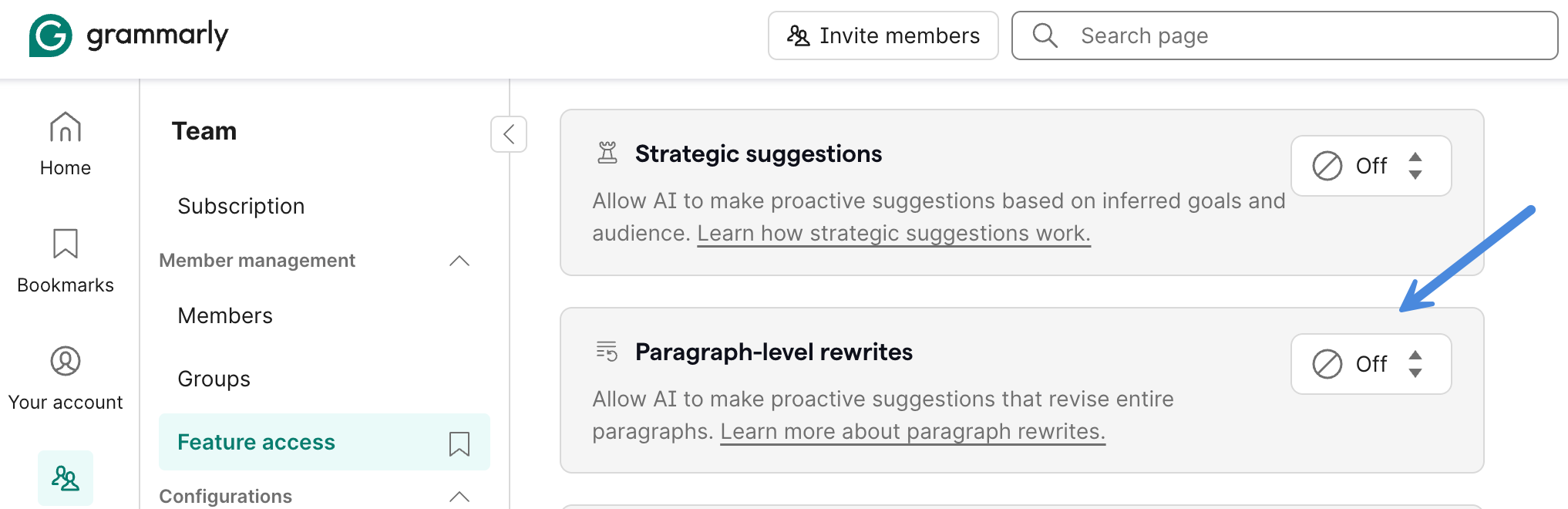
If you’re a Grammarly user and have been annoyed by a new blue bar on each paragraph, here’s how to turn it off. I kept clicking it by accident. 😖
The number of DDoS attacks more than doubled in 2025. 😮
Your browser’s extensions may be reading your passwords. It’s always good to check which permissions you’re granting extensions. And quality over quantity.
X got rid of “Dim” mode, which is disappointing. However, you can easily have Gemini or Claude make you an extension to bring it back. There is also an X Dim Mode extension on the Chrome Web Store.
For you Xbox gamers. After 38 years at Microsoft, Phil Spencer is retiring from his role as the CEO of Xbox. Crazy to think he started there as an intern in 1988.
WordPress
WordPress 7.0 (ETA early April) has quite a few changes in the pipeline:
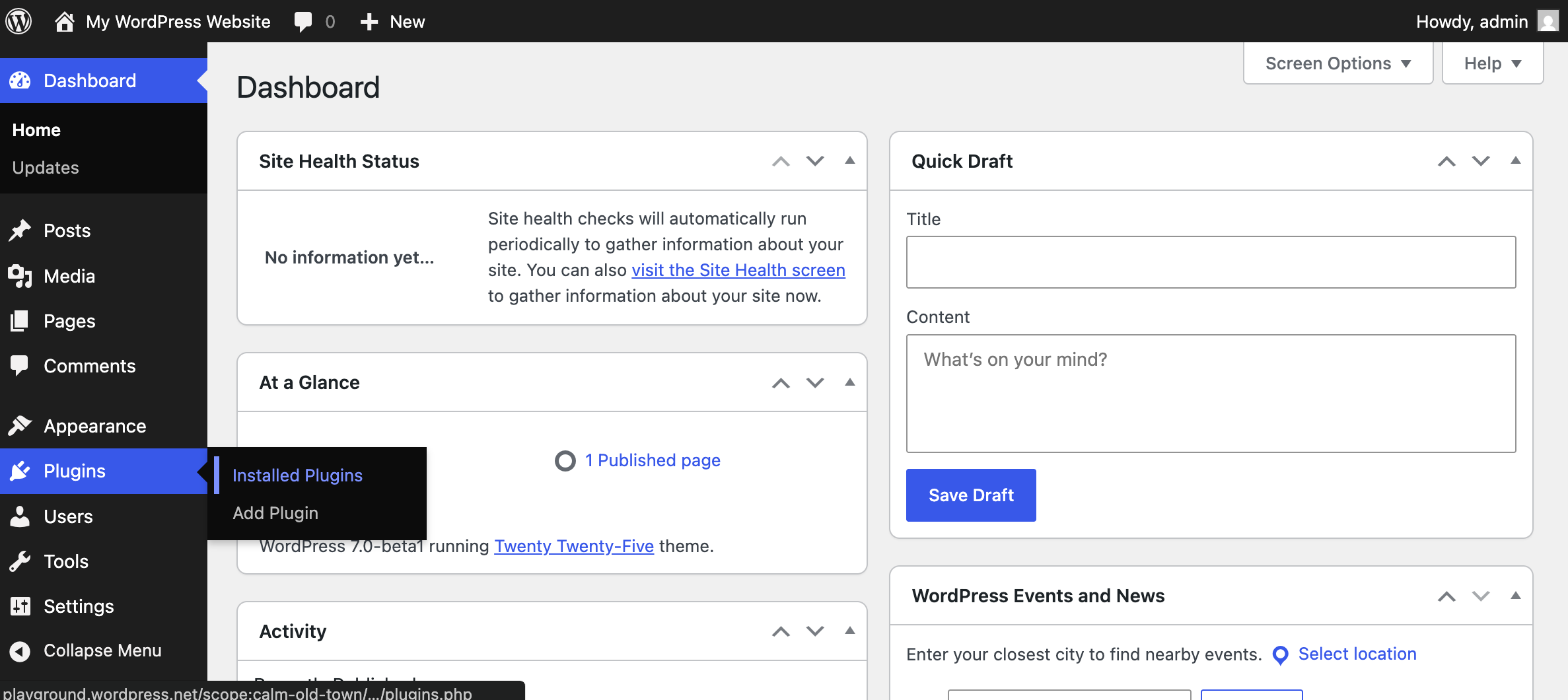
The admin is getting a new coat of paint. If you’re a plugin or theme developer, make sure to test beforehand.
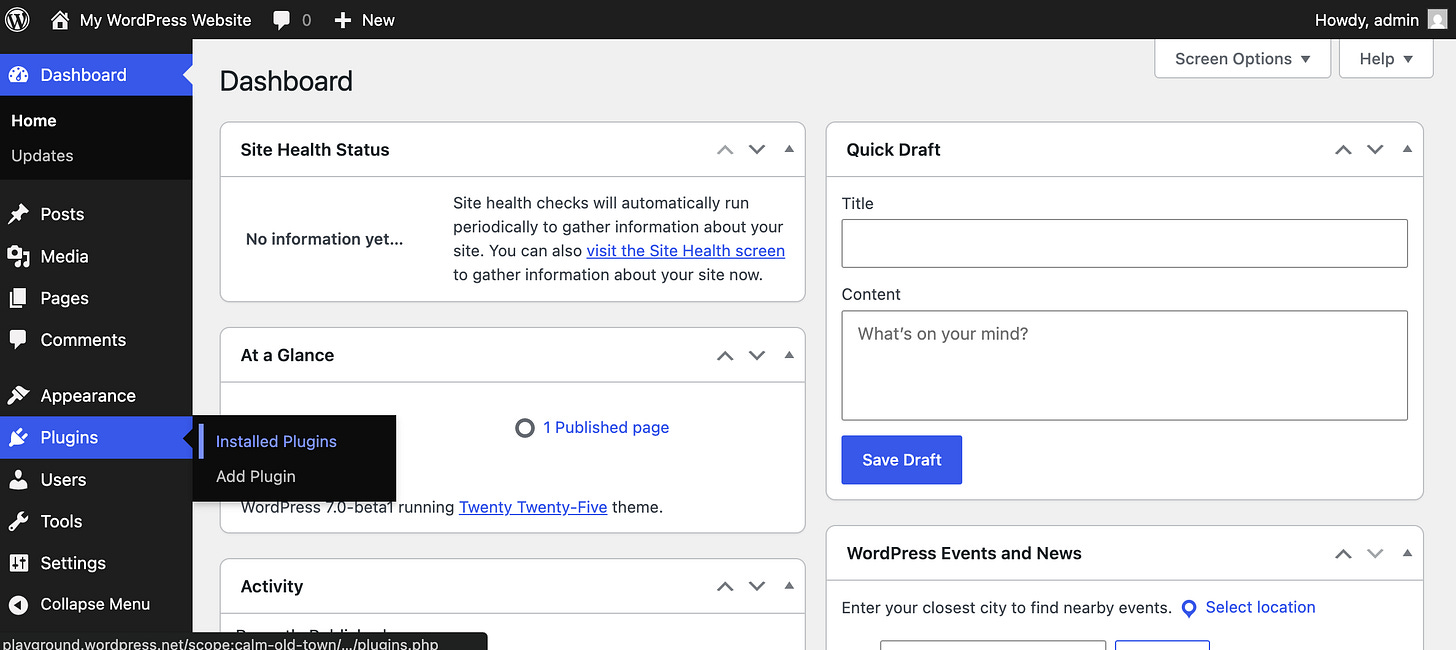
WordPress 7.0 new look In-editor visual revisions. This is pretty cool!
The font library is finally coming to classic themes. That means uploading fonts to serve locally for everyone, not just FSE themes.
Custom CSS for individual blocks. This is also a great addition.
There is a proposal to merge the WP AI client into WordPress core (trac ticket #64591).
Dropping support for PHP 7.2 and 7.3. I wish we could move everyone to at least PHP 8.0+. But not quite there yet.
Marketing
Search isn’t just turning into AI, it’s being re-monetized.
Fathom got a Google Search Console integration.
Performance
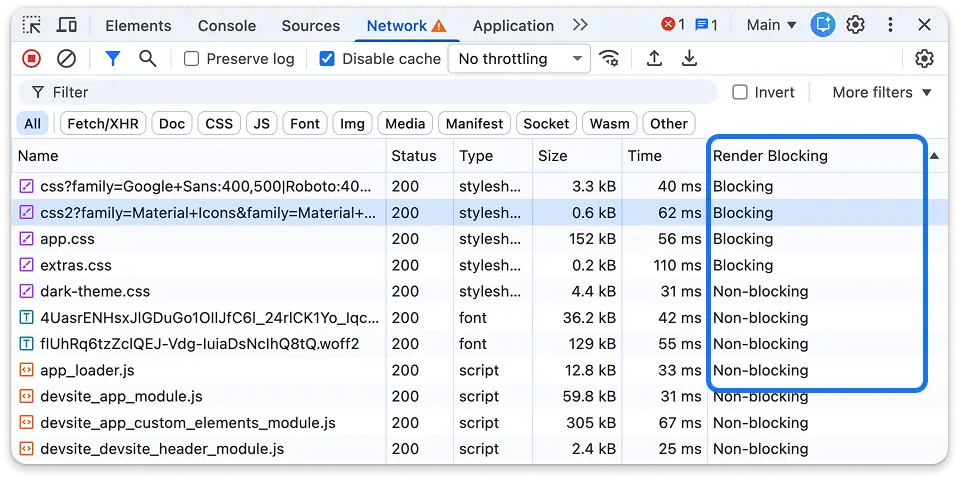
Two awesome new features in Chrome 145 DevTools. ⚡
A render blocking column. Handy when optimizing sites.
Individual request throttling (enabled by default).
We’ve updated our doc with some of the best cookie plugins when it comes to performance (based on CSS/JS sizes, jQuery dependency, etc.).
Speaking of cookies, DebugBear published a web performance analysis of consent management platforms.
Gaurav Tiwari published an impressive review of our Perfmatters plugin. Lots of great tidbits in it. 😉
Divi 5 has added speculative prerendering to speed up load times.
Looking to troubleshoot backend WordPress performance? The free HTTP Requests Manager can come in handy.
Brett Atkin has launched both a speed checklist and a site launch checklist. Use for yourself or when working with clients.
What 5.7 million pageviews reveal about WordPress performance. Loved this in-depth analysis from DebugHawk.
AI
OpenAI released their Codex app for macOS, which allows you to run multiple agents at once.
AI agents now have their own Reddit and MMO (no humans allowed). Things are getting crazy, and at a pace I can’t even keep up with.
xAI released the Groke Imagine API.
 vas@vasumanClaude 4.6 Opus just refactored my entire codebase in one call. 25 tool invocations. 3,000+ new lines. 12 brand new files. It modularized everything. Broke up monoliths. Cleaned up spaghetti. None of it worked. But boy was it beautiful.
 6:35 PM · Feb 5, 2026 · 560K Views511 Replies · 455 Reposts · 10.8K Likes
Google released Nano Banana 2, combining pro capabilities with lightning-fast speed.
Claude Cowork can now complete recurring tasks at specific times automatically.
Cursor agents can now control their own computers.
Claude Code released a new remote control feature. You can now continue a session from your phone or tablet.
OpenClaw creator Peter Steinberger joins OpenAI.

If you're in the Scottsdale, AZ area, hit me up, and we can grab lunch! 🥗👋
Always great insights, Brian. I'm not a programmer but I'm learning a lot from your tidbits!